Customer Support
service@hotcoinex.io
Product Feedback
Product@hotcoin.com
Business Inquiries
Business@hotcoin.com
Law Enforcement
Casecn@hotcoin.com
About
Products
Services
©2017-2026
service@hotcoinex.io
Product@hotcoin.com
Business@hotcoin.com
Casecn@hotcoin.com
The Web3 Wallet allows users to swap one token for another directly on-chain without leaving the wallet.
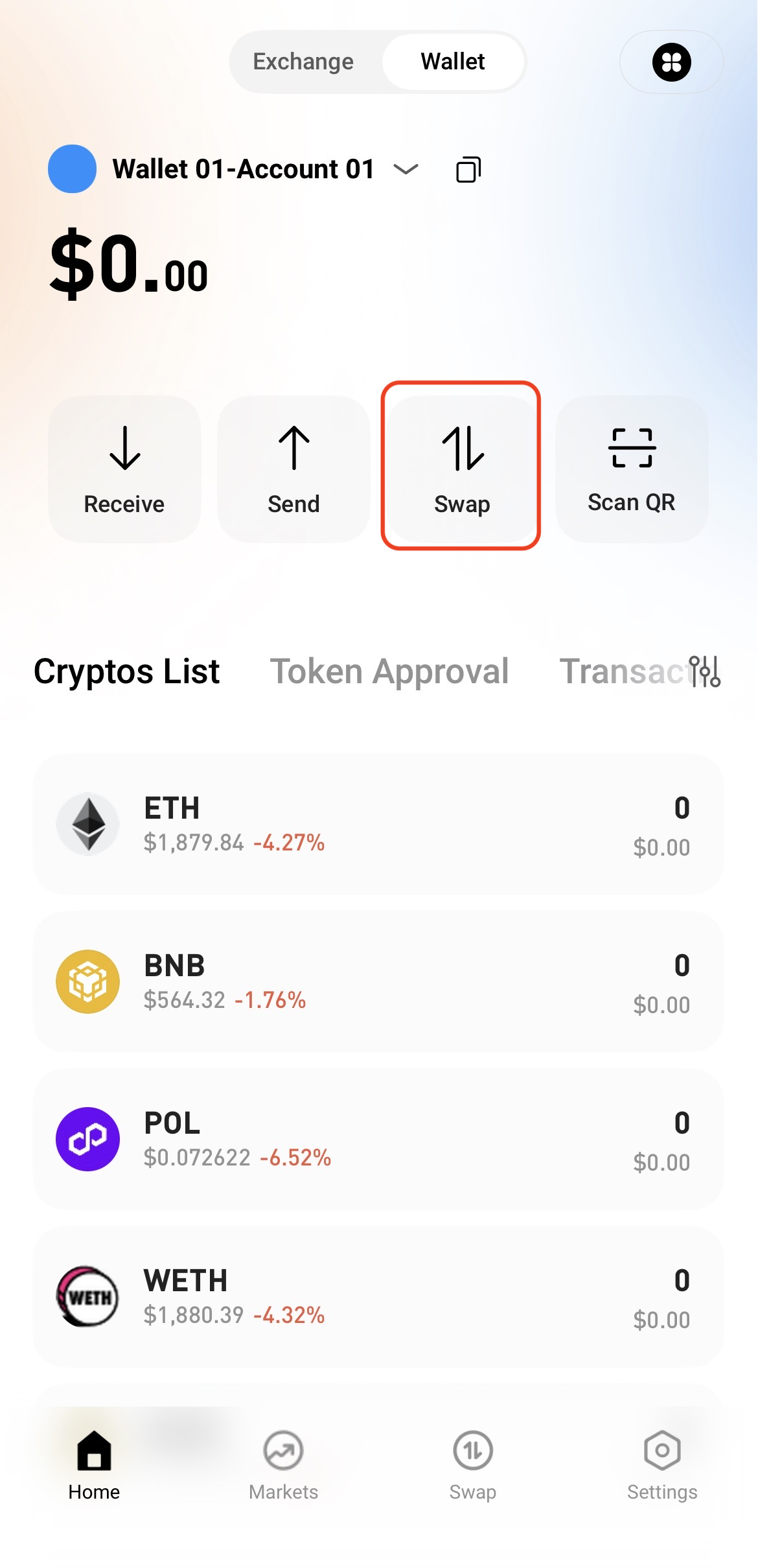
Step 1: Access the Swap Page
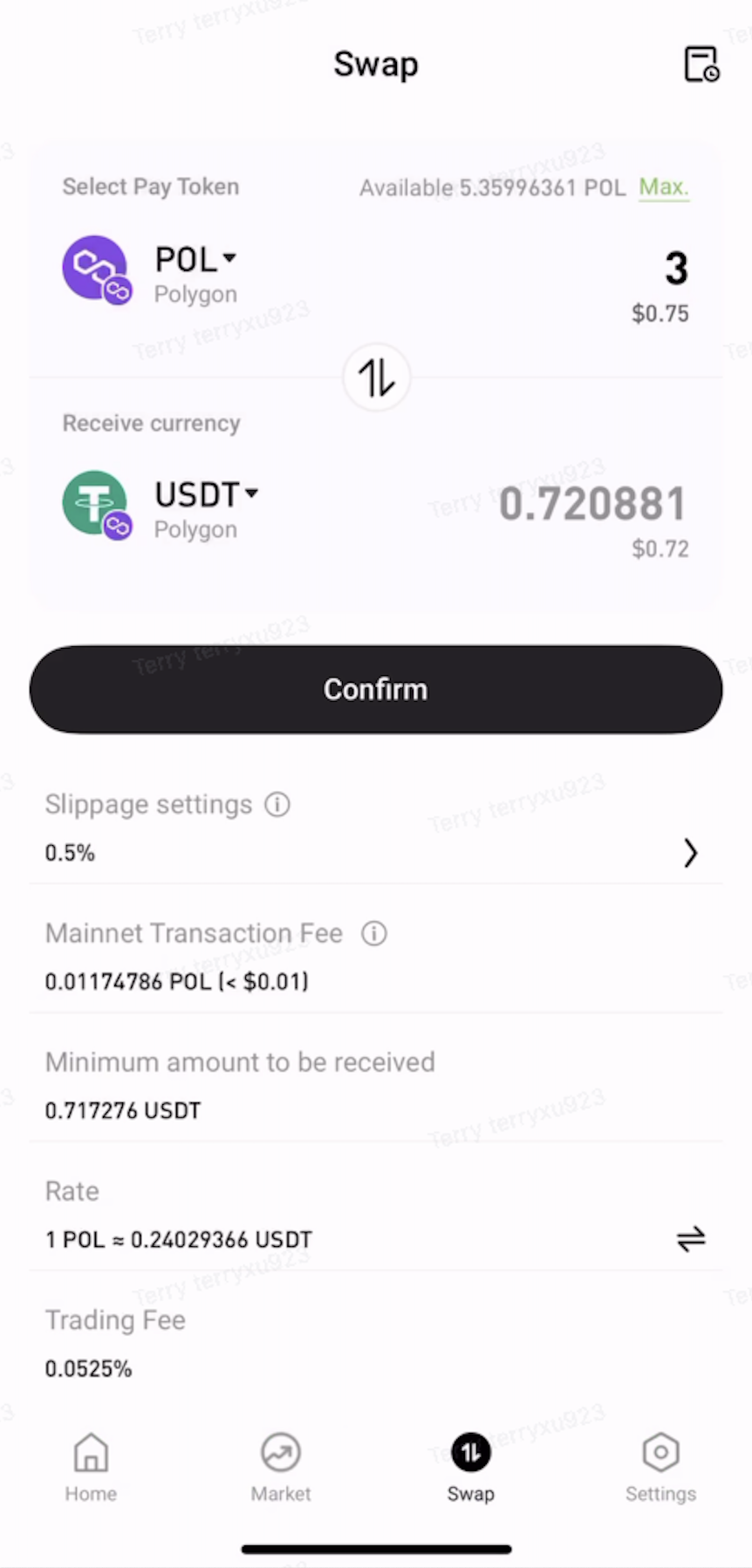
Open the Web3 Wallet and tap Swap on the home page.
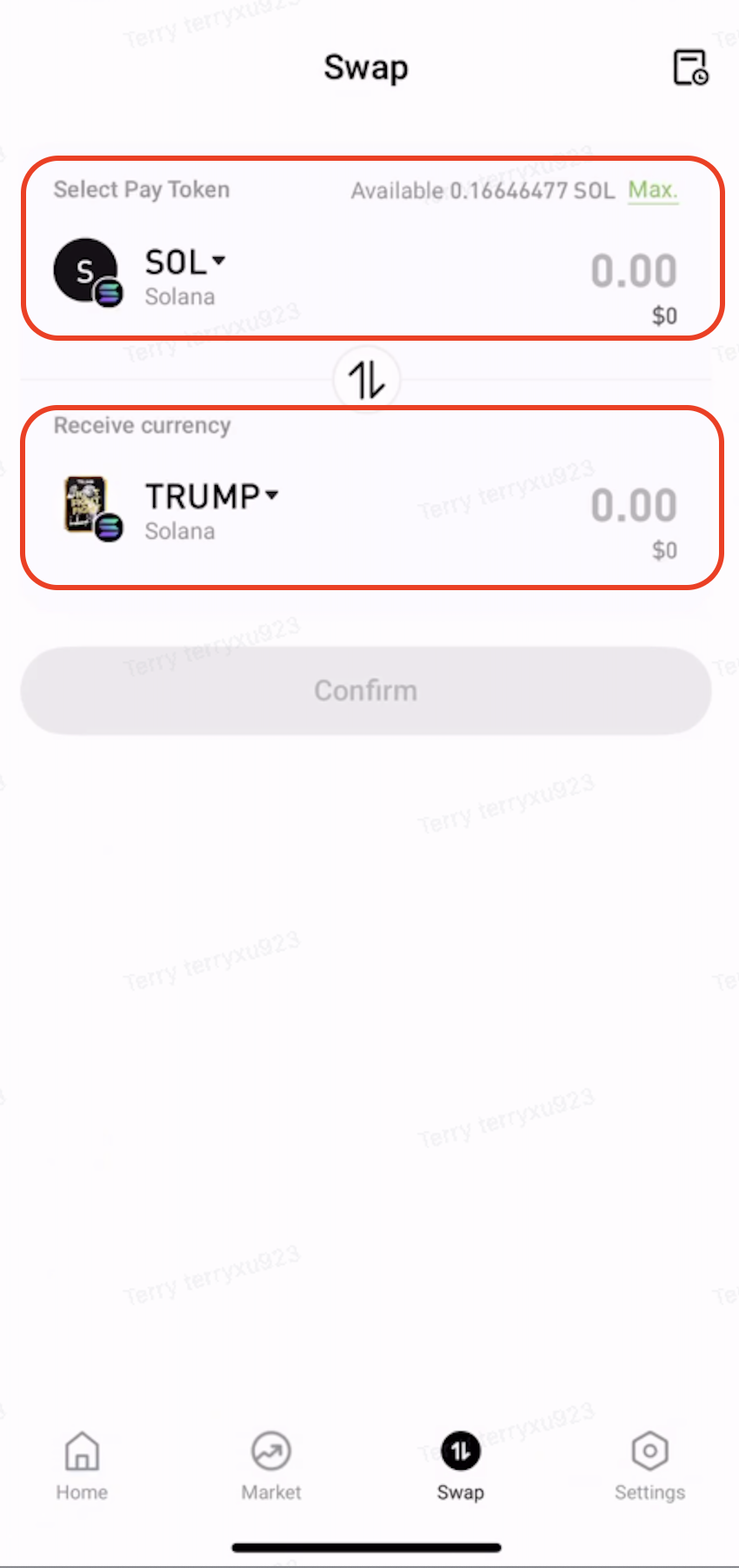
Step 2: Select the Tokens to Swap
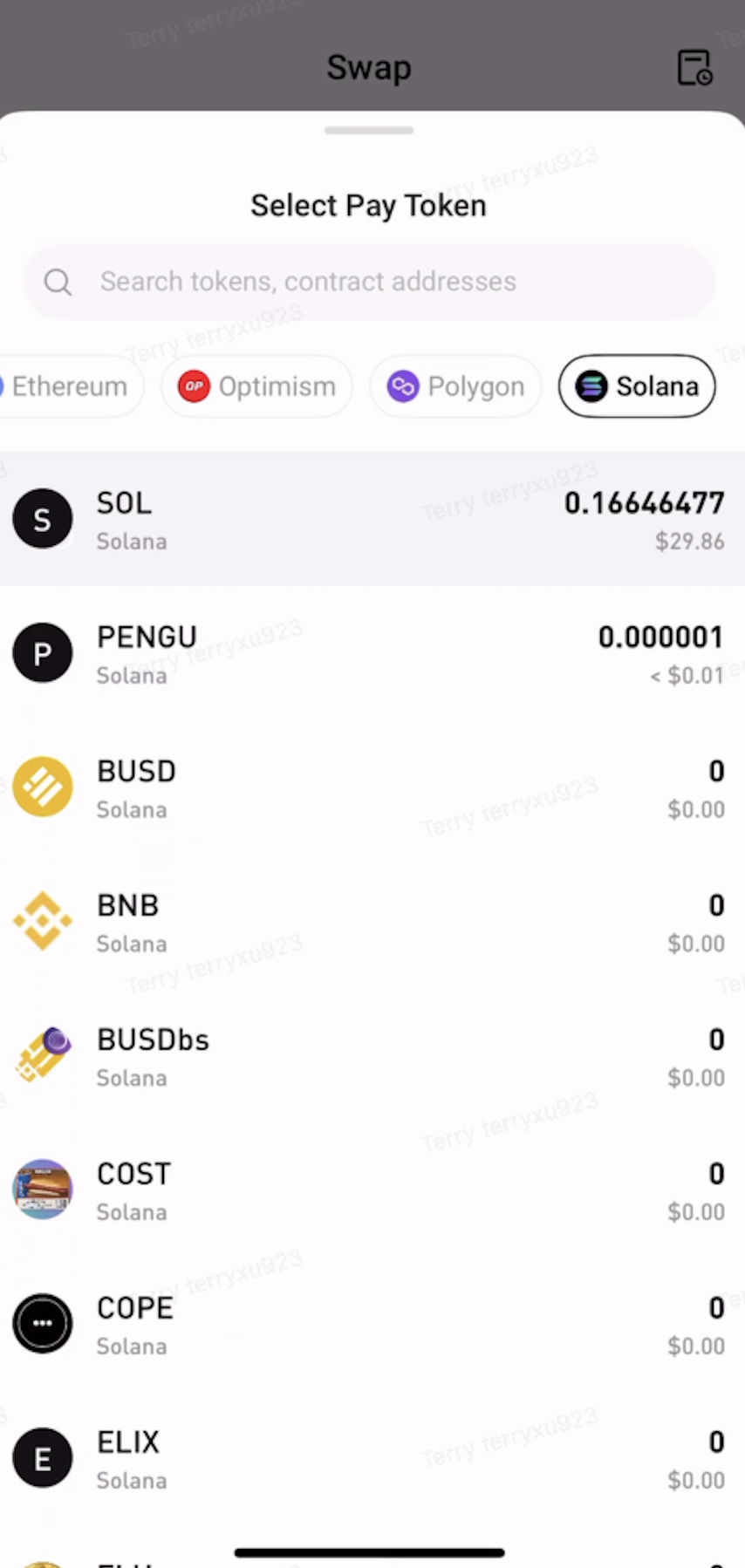
Under Pay, select the token and network to swap from.
Under Receive, select the token and network to receive.
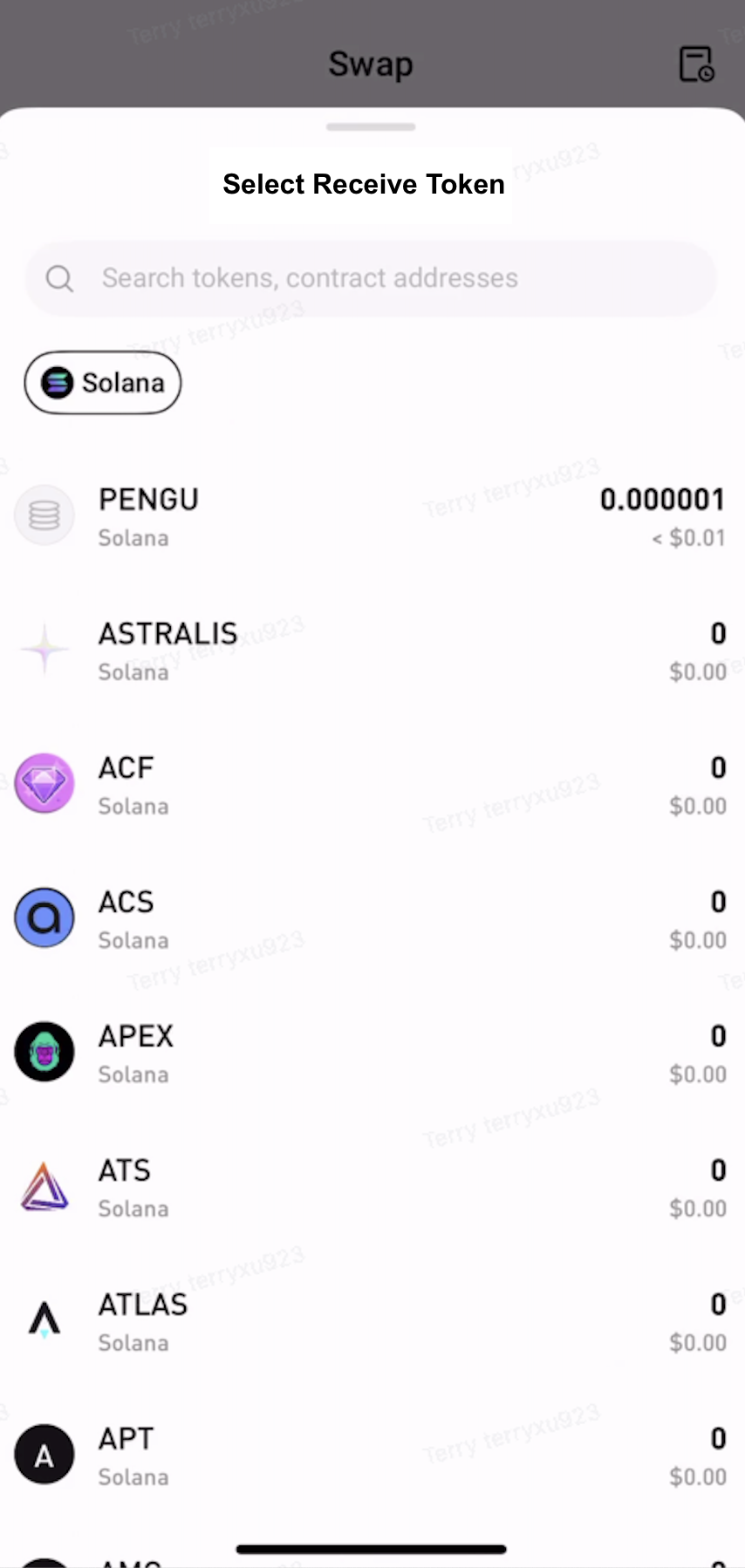
Step 3: Approve the Token
Enter the amount to swap. If approval is required, tap Approve and follow the on-screen instructions to sign the transaction.
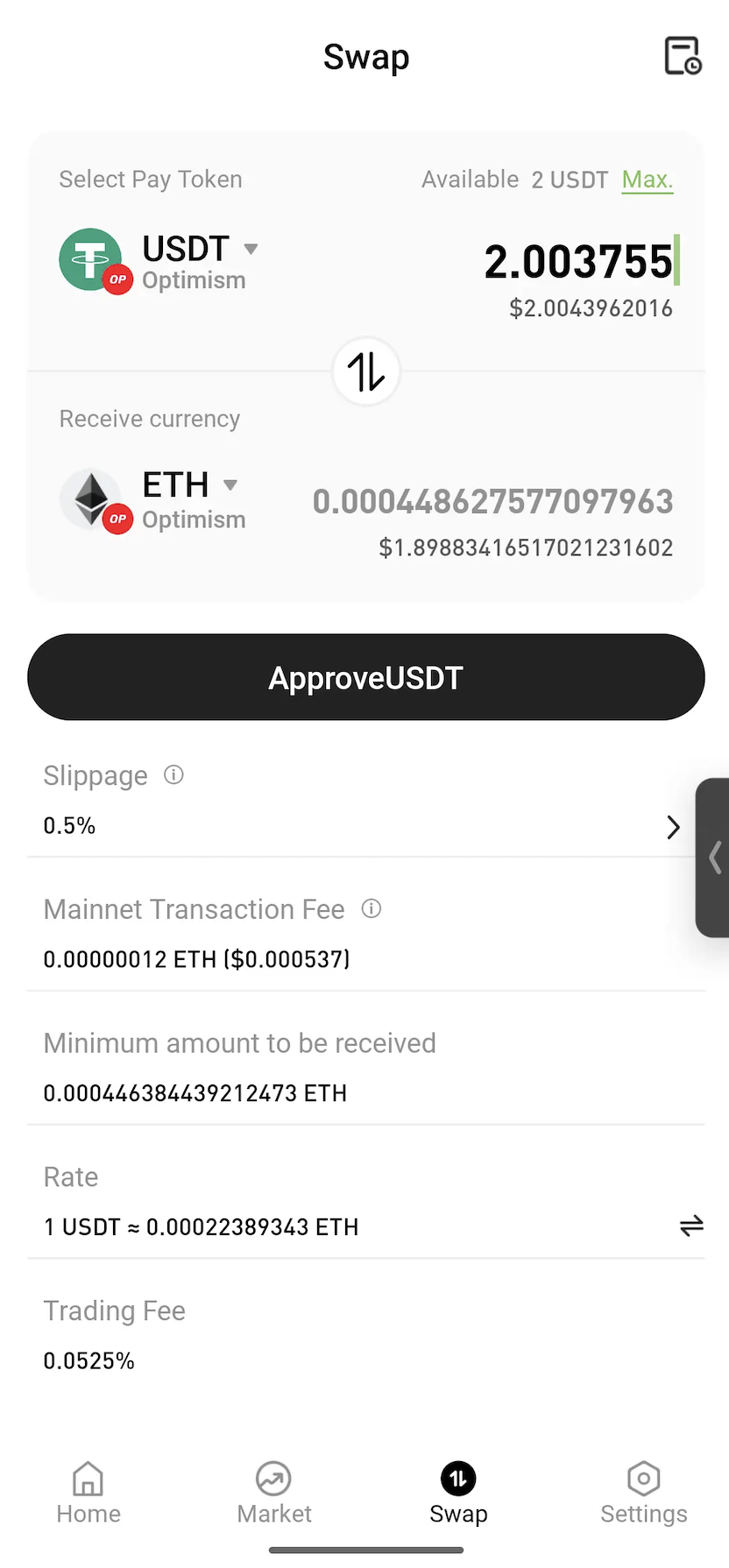
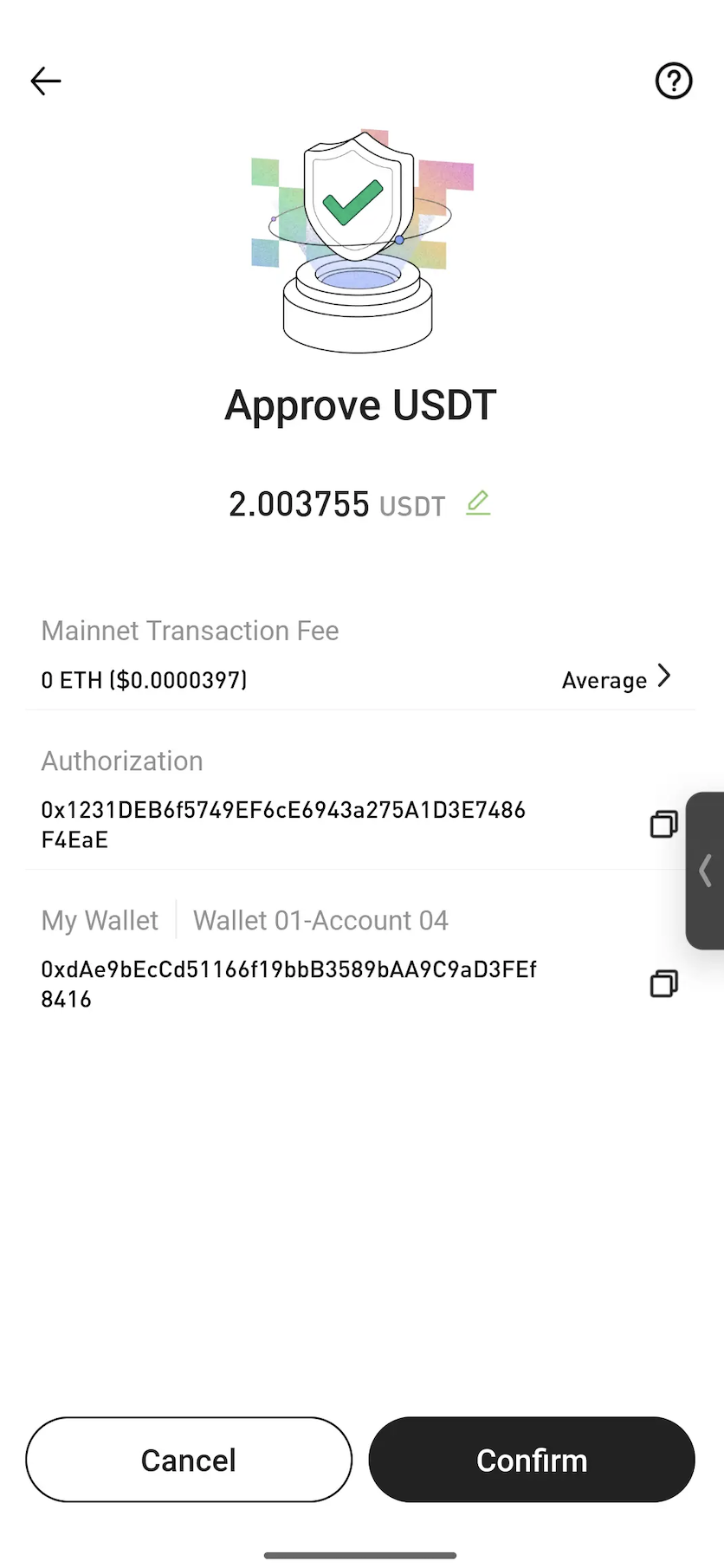
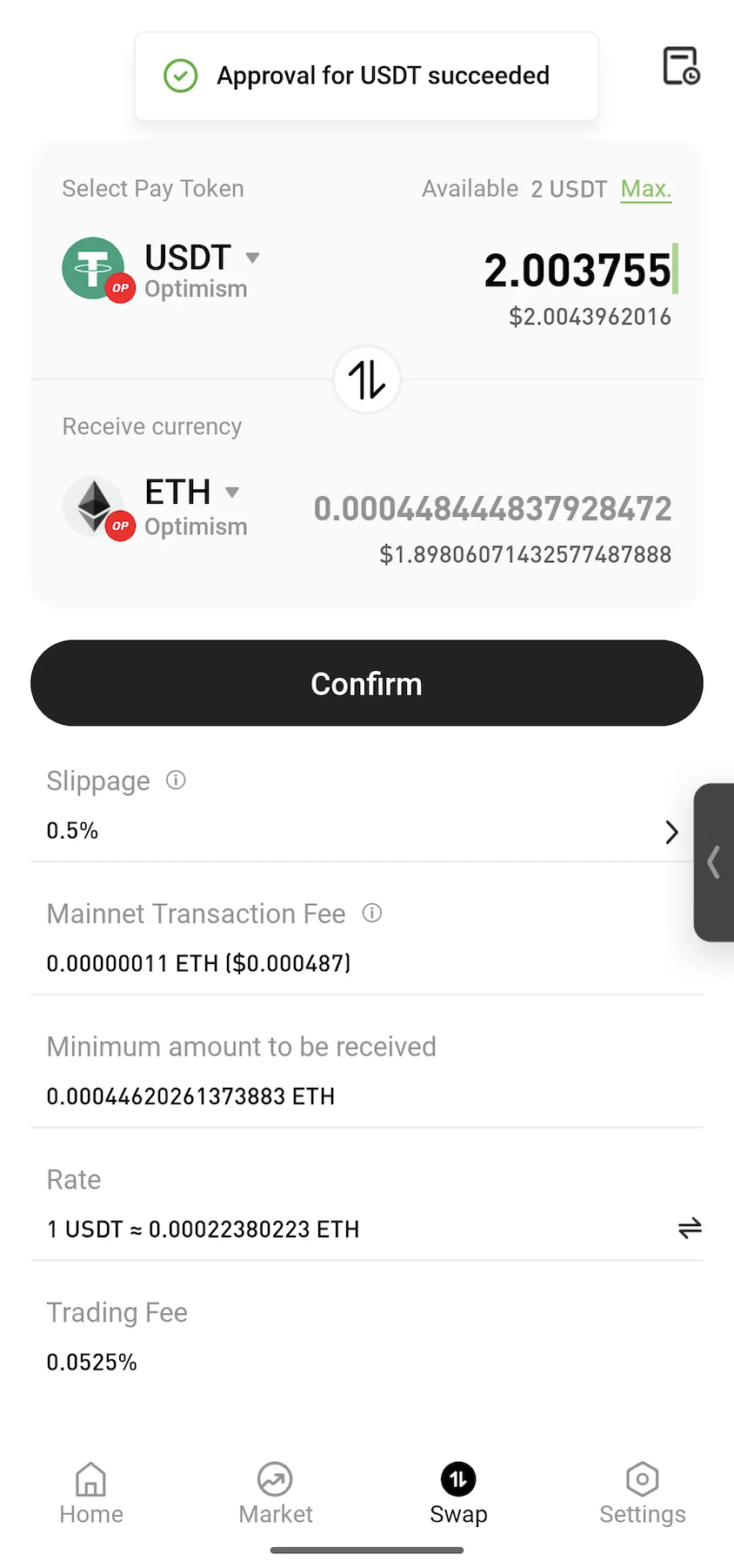
Note: Approval is a standard blockchain process that allows a smart contract to use the selected token for the swap. In most cases, approval is only required the first time a token is swapped.
Step 4: Confirm the Swap
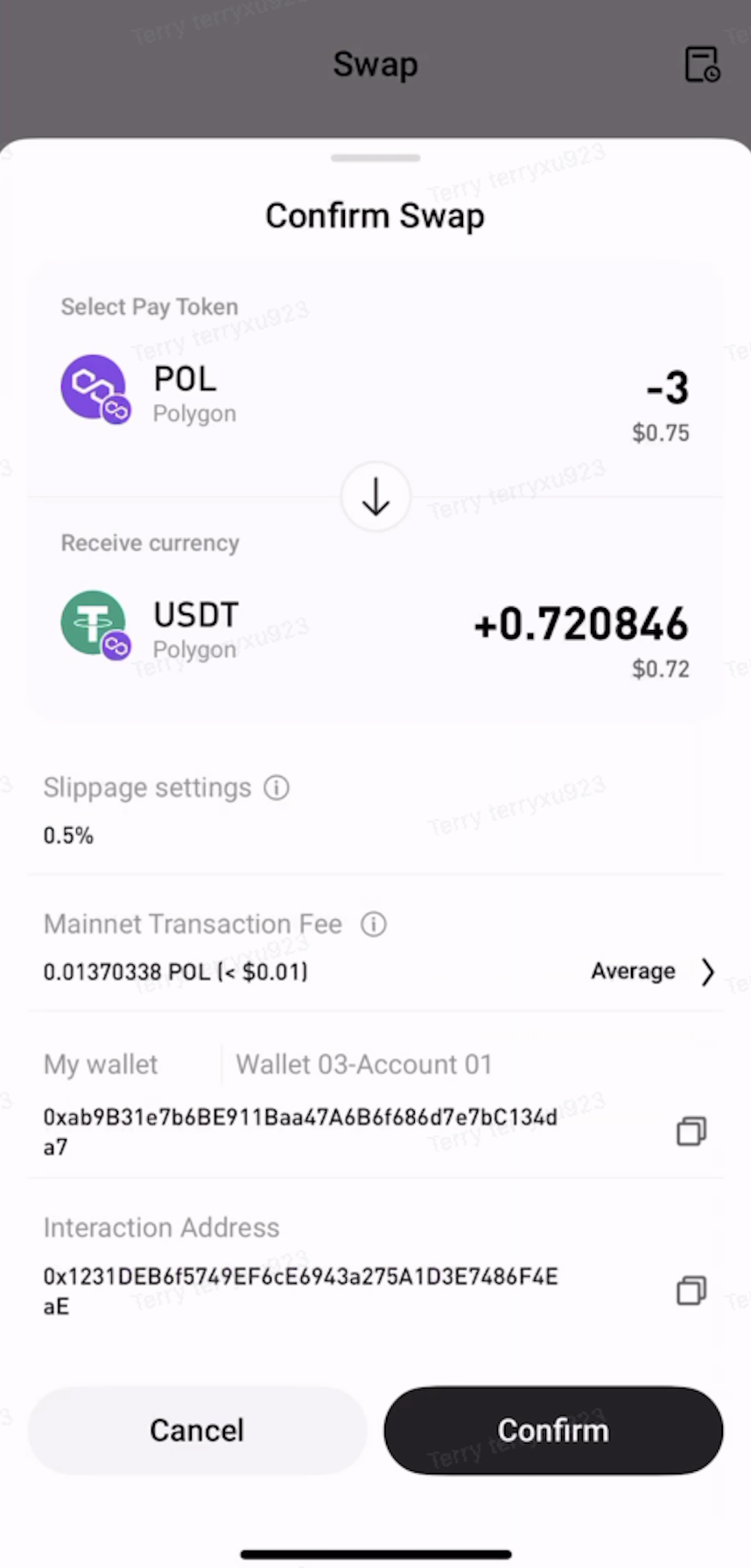
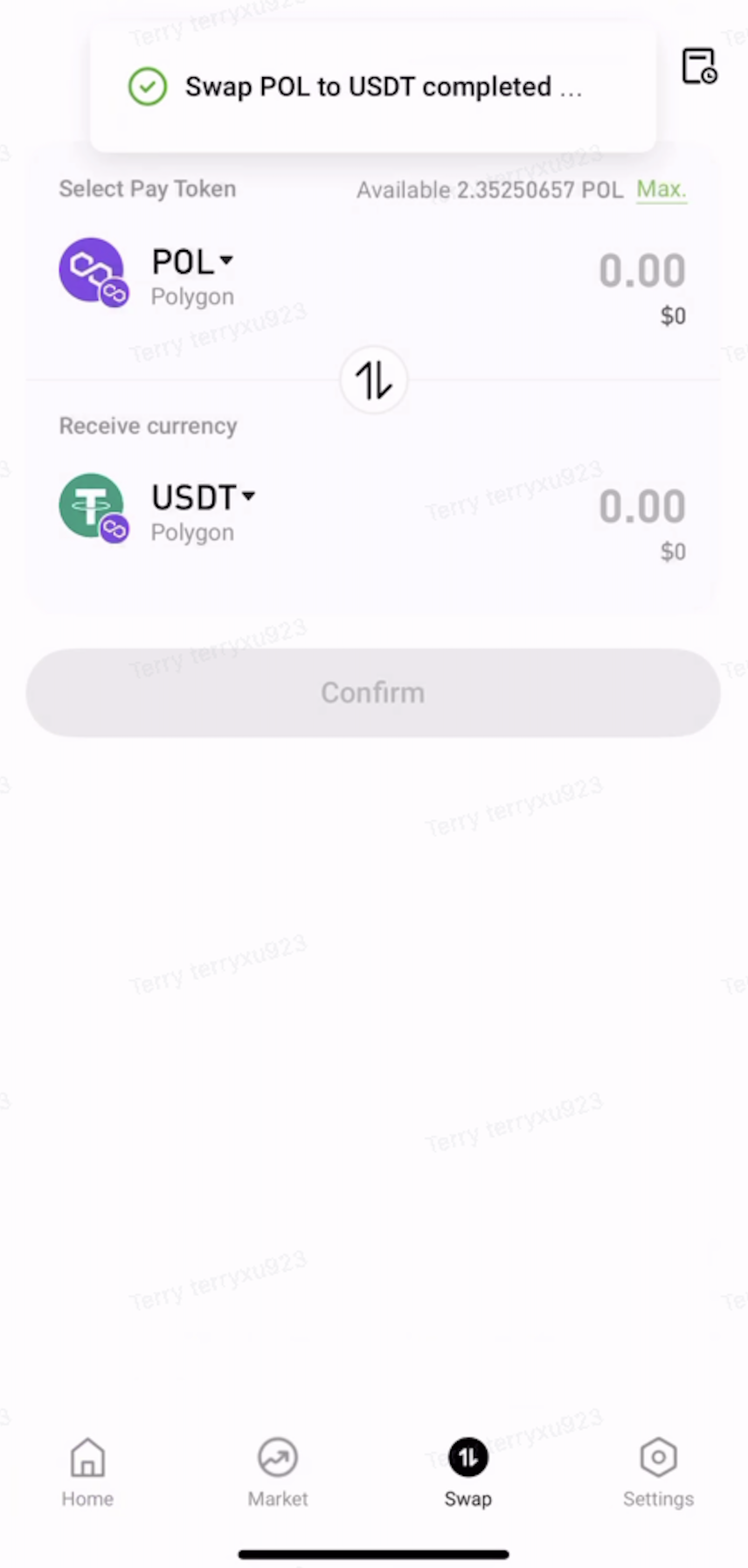
Review the swap details, then tap Confirm. Once the transaction is submitted, wait for on-chain confirmation to complete the swap.
Step 5: View Transaction History
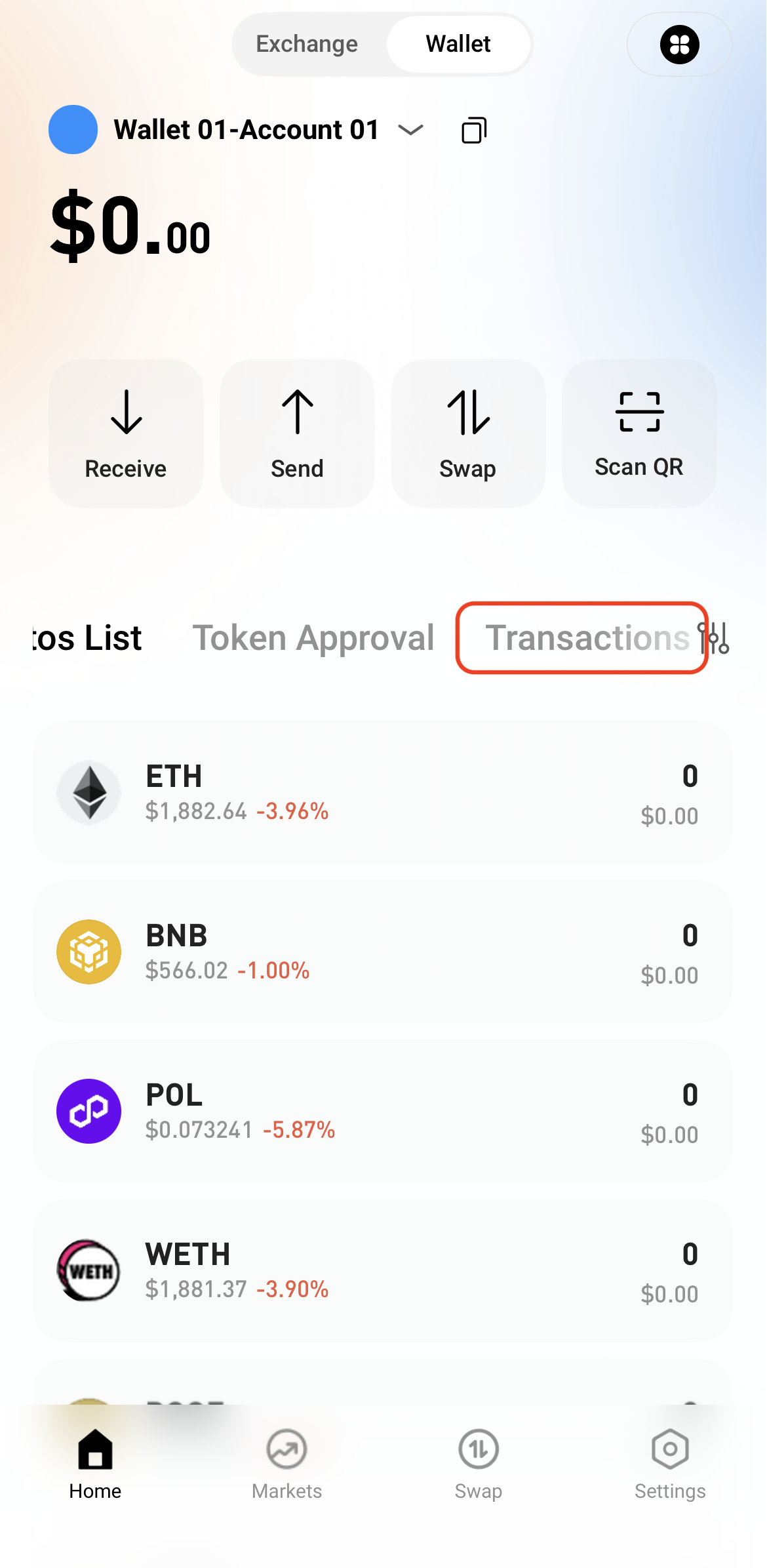
After the swap is complete, view the transaction details in Transactions or check the on-chain status through a block explorer.